Cloud Sync: Your Tags, Notes & Highlights on Every Device
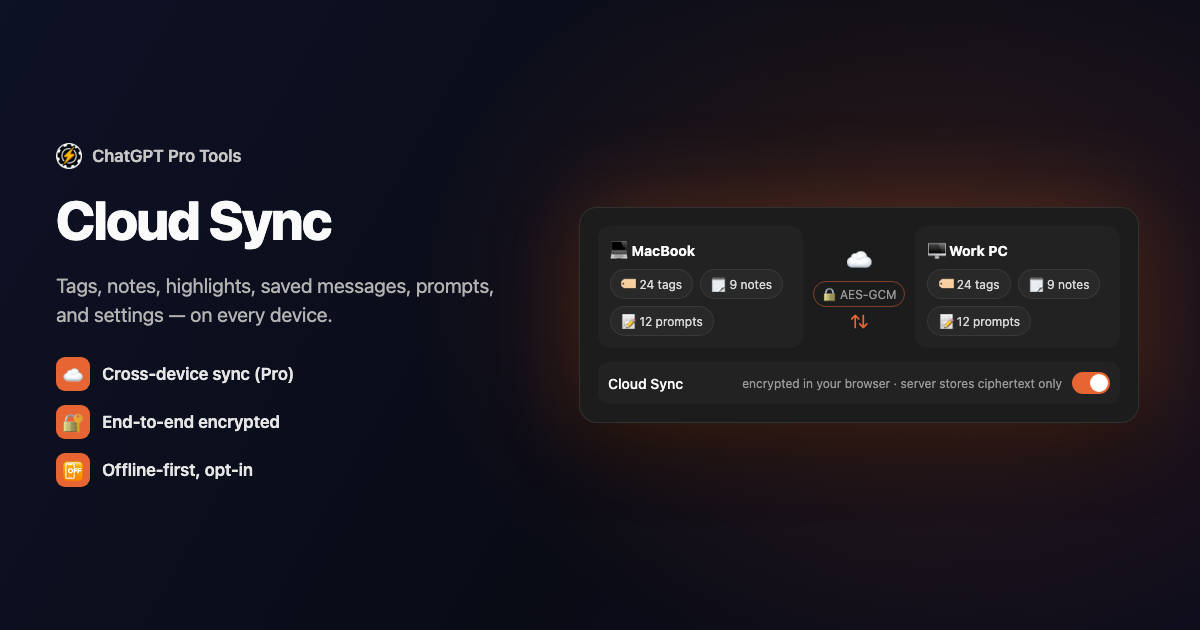
Tag a chat on your laptop and the tag is there on your desktop; highlight a reply at work and the highlight shows up at home. Cloud Sync keeps your ChatGPT Pro Tools data — tags, chat notes, chat summaries, highlights, saved messages, prompts, and settings — mirrored across every device you use.
It's a Pro feature, opt-in and off by default. Everything is end-to-end encrypted in your browser before it leaves: the encryption key is derived from your license key, and our server only ever stores ciphertext. Your local storage stays the working copy, so the extension keeps working offline and syncs the moment you're back online.
What You Get
- Everything mirrored — tags, chat notes, chat summaries, highlights, saved messages, prompts, and settings, kept in step across your devices
- End-to-end encryption — data is encrypted in your browser with AES-GCM before it's sent; the key comes from your license key, and the server stores only ciphertext
- Offline-first — your local copy is always the working copy; Cloud Sync is a durable mirror that catches up when you reconnect
- Safe conflict handling — edit on two devices and the changes merge instead of overwriting each other
- Per-account isolation — each ChatGPT account under your subscription syncs to its own separate data
- Opt-in and off by default — nothing syncs until you switch it on in Settings
Encrypted in Your Browser, Not on Our Server
Before any data leaves your device, the extension encrypts each blob with AES-GCM using a key derived from your license key — the same key across your devices, unique to your subscription. The server receives and stores only that ciphertext, so a breach of the sync database alone can't decrypt your tags, notes, or highlights. Nothing is stored or transmitted in the clear. If you'd rather keep everything off the cloud entirely, don't turn Cloud Sync on — the free Backup & Restore route below is there for that.
How to Use It
Install from the Chrome Web Store or Firefox Add-ons, then upgrade to Pro ($4.99/mo) — Cloud Sync is part of Pro.
Open the extension's Settings and switch Cloud Sync on. It's off until you do — this is the opt-in step, and your existing local data uploads as encrypted ciphertext.
On another device, install the extension and activate the same Pro license key. Because the encryption key derives from that license, your tags, notes, summaries, highlights, saved messages, and prompts restore automatically.
Who Gets It
Cloud Sync is part of the optional Pro tier ($4.99/mo). Everyone on the free tier gets Backup & Restore instead (Settings → Backup): a one-click export of your data to a JSON file, and an import to load it back — a manual way to move between devices or keep a copy. ChatGPT Pro Tools is free to install; only the automatic cross-device mirror is Pro.
Frequently Asked Questions
Is my data readable on your servers?
The server stores only AES-GCM ciphertext that was encrypted in your browser with a key derived from your license key. A breach of the sync database alone can't decrypt your tags, notes, or highlights. Nothing is stored or sent in the clear.
Is Cloud Sync on by default?
No. Cloud Sync is opt-in and off by default — nothing leaves your browser until you turn it on in Settings. If you're on the free tier, Backup & Restore lets you export and import your data as a JSON file instead.
What happens to my synced data if I cancel or unlink?
Unlinking your license from a ChatGPT account permanently deletes that account's cloud rows, and cancelling your subscription deletes all of the subscription's synced data. Your local copy stays on each device either way.
Do I need Cloud Sync to use my tags and notes?
No. Everything works locally without it — Cloud Sync only mirrors your data across devices. Backup & Restore, a free JSON export and import in Settings, is the alternative for moving data between machines by hand.


