Audio Download: Save Any ChatGPT Reply as an MP3
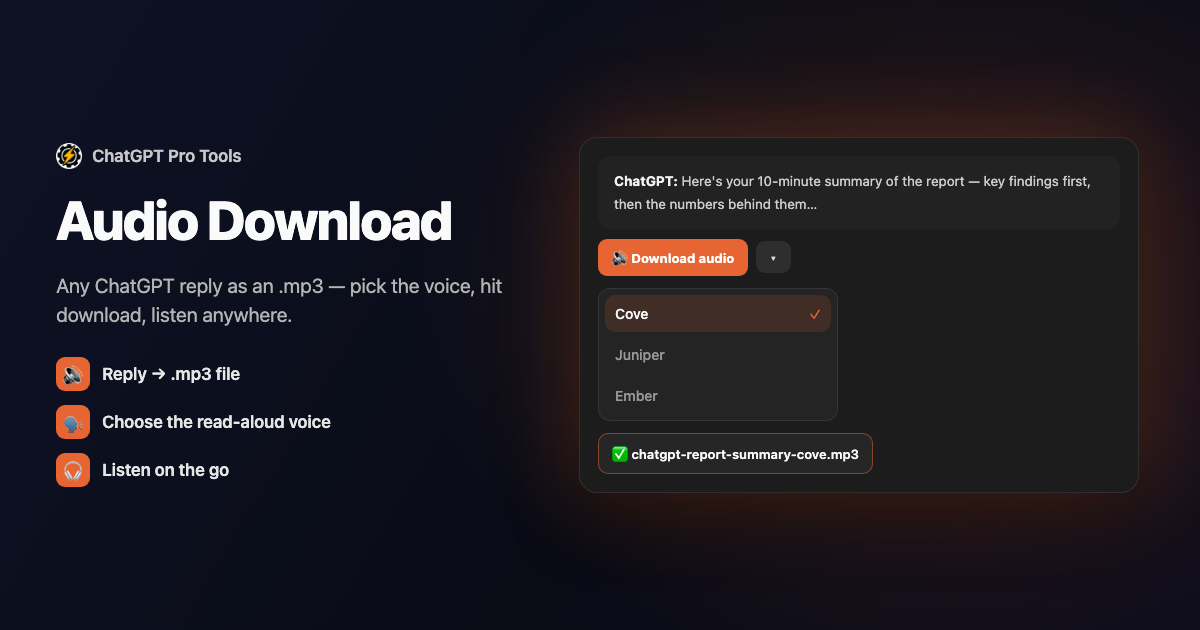
Click one button on any ChatGPT reply and it downloads as an .mp3 you can play on your phone, in the car, or anywhere you'd rather listen than read. The file uses ChatGPT's own read-aloud voices, so it sounds exactly like the built-in Read aloud — but saved to disk instead of streamed once and forgotten.
It's part of the free ChatGPT Pro Tools extension. A chevron next to the button opens a voice picker so you choose which voice reads the reply, and each saved file is named with the chat title and the voice — so your audio library stays sorted on its own.
What You Get
- One-click .mp3 export — a download-audio button on every assistant message turns the reply into an audio file
- ChatGPT's own read-aloud voices — the same voices as the native Read aloud, not a third-party text-to-speech engine
- A voice picker — the chevron next to the button lets you choose the voice before you download
- Self-labeling filenames — each file is named with the chat title and the voice, so downloads stay organized
- Free, no caps — save as many replies as you like
Why ChatGPT Won't Let You Keep the Audio
ChatGPT can read a reply aloud, but it streams the audio and forgets it — there's no save button, so you can't keep it, queue it for a commute, or listen offline. Audio Download captures that same read-aloud voice into a real .mp3 on your disk, the moment you ask for it. Long explanations, study notes, a recipe you want hands-free in the kitchen — anything you'd rather hear than scroll becomes a file you own.
How to Use It
Get it from the Chrome Web Store or Firefox Add-ons. It activates automatically on chatgpt.com.
Open any chat and look at an assistant reply. The extension adds a download-audio button to the message, with a chevron beside it for the voice picker.
Choose a voice from the chevron menu if you want a different one, then click the button. The reply saves as an .mp3 named with the chat title and voice.
Free vs Pro
Audio Download is free, with no cap on how many replies you convert. The optional Pro tier ($4.99/mo) unlocks other tools — unlimited saved messages and cloud AI tagging, and Cloud Sync — but saving a reply as audio isn't gated. Free to install; the Pro tier is optional.
Frequently Asked Questions
Is Audio Download free?
Yes. Audio Download is free, with no cap on how many replies you convert. The optional Pro tier ($4.99/mo) unlocks other tools, but saving a reply as audio is not gated.
What format are the files?
Every download is an .mp3, so it plays in any audio player, on your phone, or straight in a browser. The filename includes the chat title and the voice, so your downloads stay sorted.
Which voices can I use?
The same read-aloud voices ChatGPT uses when it speaks a reply. The chevron next to the download button opens a voice picker so you choose which voice reads the message before you save it.
Does it send my conversation to a third-party service?
No. The audio is produced by ChatGPT's own read-aloud voices through your existing ChatGPT session. The extension captures that audio into a file in your browser and does not send your conversation to any third-party service.


